Setting a Group User from a Business Rule or from the ClientSpace API Task Endpoint
As a Global Admin, you can trigger a business rule using a method such as _SetFieldValue to modify a User field on a dataform or task using a Group User "round-robin" rotation. As soon as a Save/Apply action occurs, the User type field being modified resolves to the next user in the rotation.
Note: If multiple user fields have the same Group User record selected and they are updated in the same Save/Apply action, all of the fields resolve to the same "next user" in the list. The rotation advances per group assignment event, not per individual field change.
You can also modify a user field and set a Group using the ClientSpace version 3.0 POST or PATCH Methods in the Task endpoint. This topic shows an example of both a Business Rule and a ClientSpace API Task method.
Important: When defining the Group User record to use on a business rule method OR on a PATCH/POST operation in the ClientSpace API, you must add a minus symbol (-) in front of the Group User ID. The Group User ID is the record ID located in the Administrative section of the Group User configuration record in ClientSpace:

This topic shows an example configuration of both a business rule method and a ClientSpace Task endpoint.
Business Rule Method Configuration Example
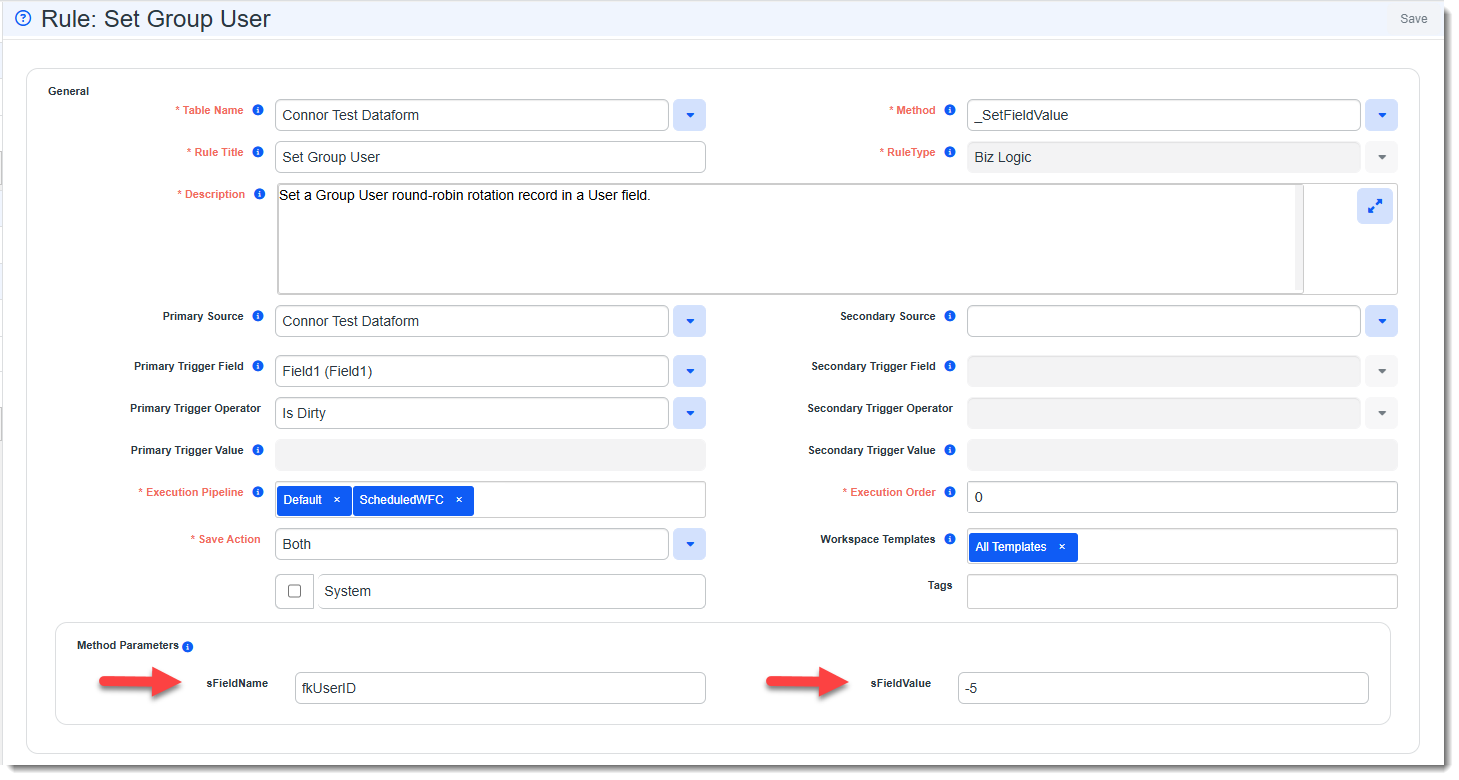
In the following example, the _SetFieldValue method is being used to configure a rule that updates the user field identified in the sFieldName field with the Group User record ID identified in the sFieldValue field when a trigger condition is met.
Get the user field name by going to Dataform Properties > Fields of the dataform defined in the Table Name field of your business rule. Get the Group User record ID from the Administrative section of the Group User configuration record and remember to place a minus symbol (-) in front of it on the business rule.
ClientSpace API Task Endpoint Configuration Examples
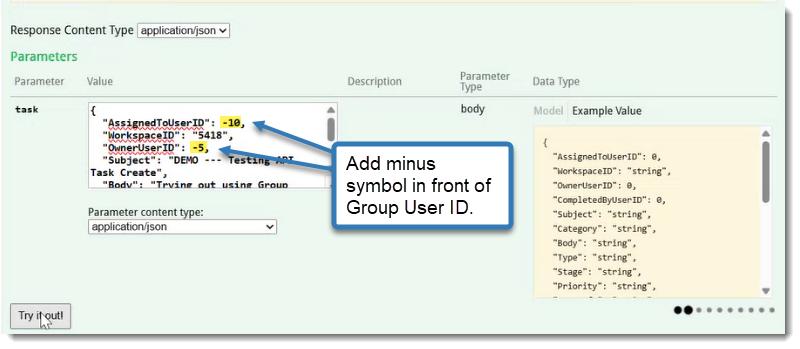
In the following examples, POST and PATCH methods are being configured in the Task endpoint. The Assigned To (AssignedToUserID) and Owner (OwnerUserID) fields are being set to Group User IDs found in the Administrative section of the Group User configuration record.
In the first example of a POST method configuration, a new task is being created and the User type fields are referencing two different Group User record IDs:
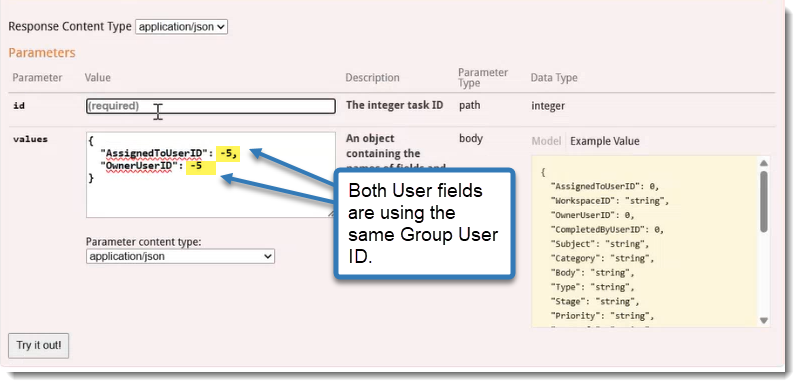
In the next example of a PATCH method configuration, both User type fields are being set to the same Group User record ID and will resolve to the same user when the Save/Apply action is executed.
Remember: If multiple user fields have the same Group User record selected and they are updated in the same Save/Apply action, all of the fields resolve to the same "next user" in the list. The rotation advances per group assignment event, not per individual field change.