Configuring Group User Assignment with Workflow Items
When configuring Group User assignment for Client Service Case assignment by Case Type, the the basic configuration of setting up Group User records still applies. Once the Group User records are set up, you can configure workflow channel items (on the Content tab) to use Group User assignment.
In the example below, we are adding a workflow that creates a dataform whenever a field on another dataform is updated with a specific value (i.e., Is Dirty).
On the Content tab, when we click any User type field, we have the ability to select a Group User by selecting Specific User and then selecting the desired group:
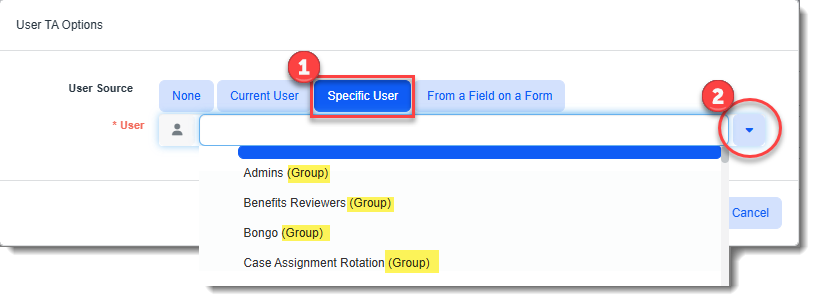
Note that all Group User records are displayed first in the list with the word "Group" in parentheses so that you can easily distinguish Group User records from individual users.
Once a workflow item is configured with a Group User in a user field, when the workflow is triggered and a dataform is added or modified (according to the workflow configuration) and then saved, the dataform will be assigned to next available user in the Group User rotation.