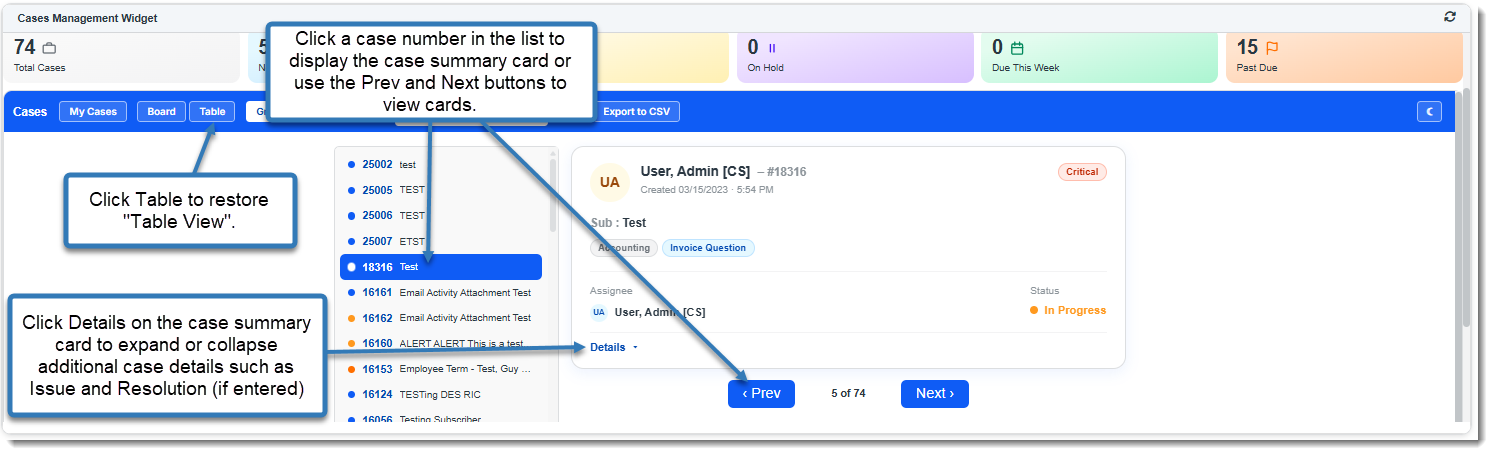
Using the Cases Management XSLT Query Widget
The Cases Management XSLT Query Widget (which must be configured by a Global Administrator) can be used as a powerful Cases Management dashboard. This article provides an overview of features. Also see the video: Learning how: XSLT in ClientSpace Query Widget Demo.
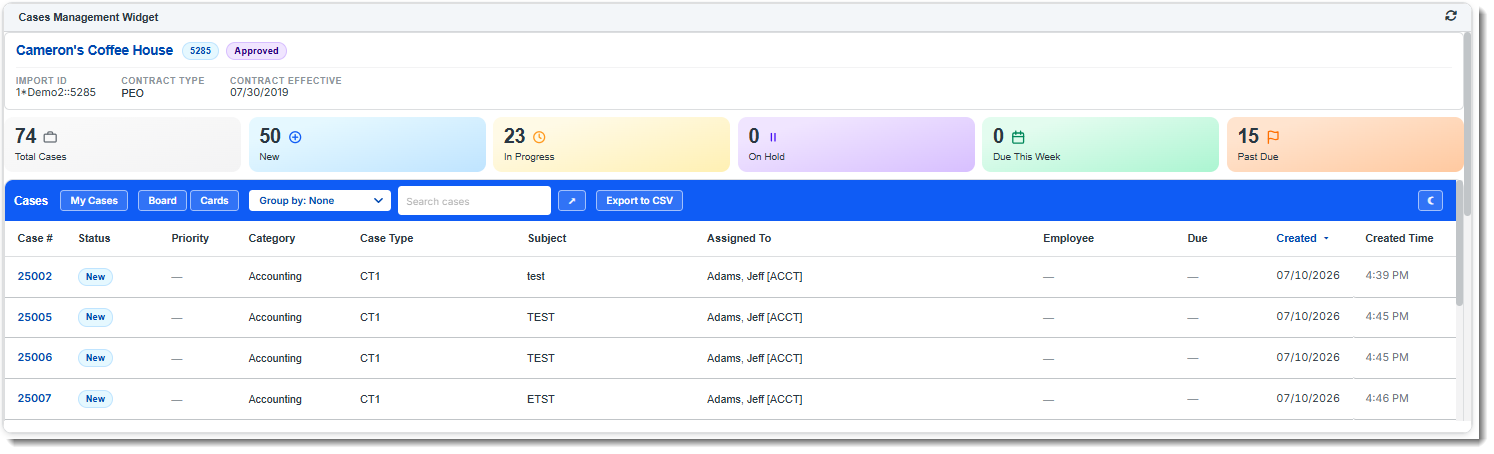
Review each section of the Cases Management XSLT widget to learn more about its functionality.
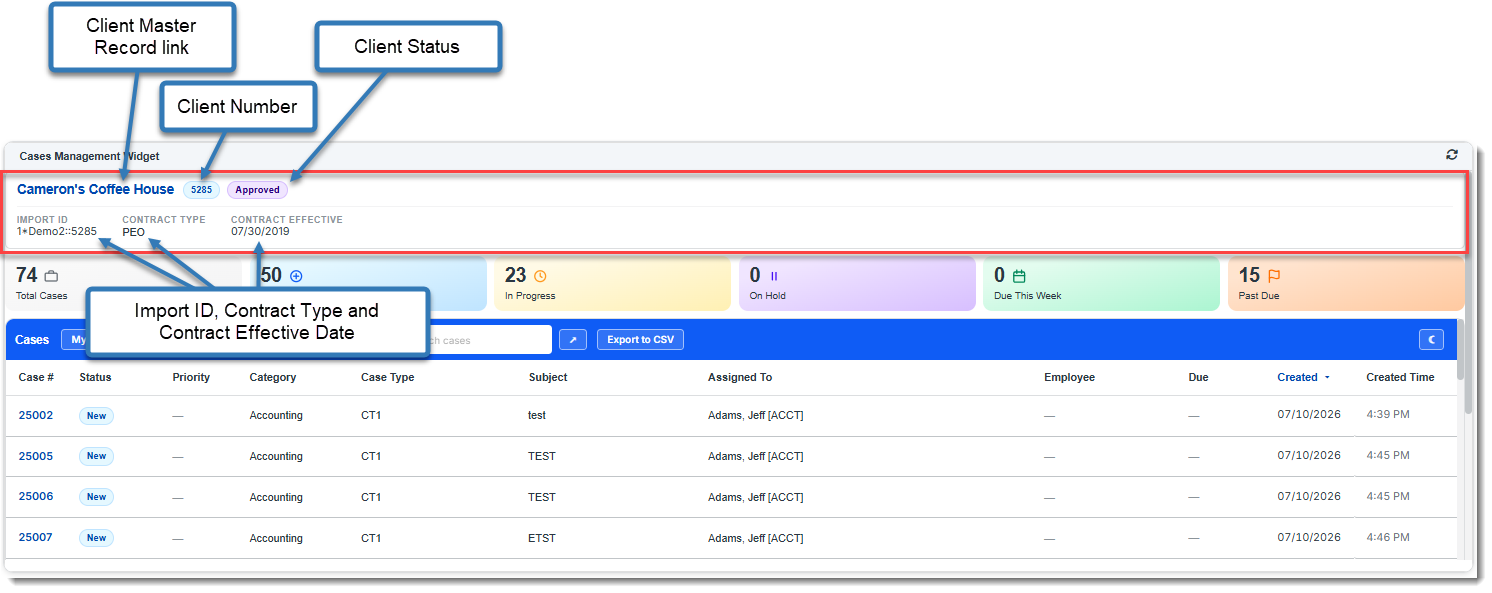
1. View Client Info
Displays key client information, including the Client Master record link, Client Number, Import ID, Contract Type, and Contract Effective Date.
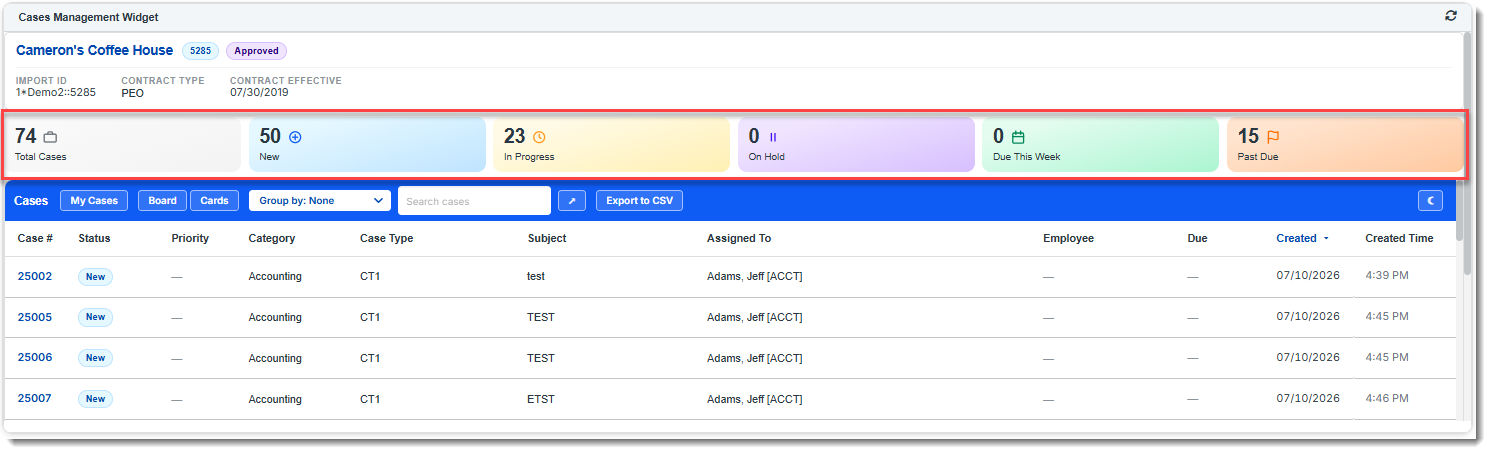
2. Case Status Summary
Displays colored tiles containing a count of all Client Service cases by case status: New, In Progress, On Hold, Due This Week, and Past Due. Select any status tile to filter the cases to the selected status or click Total Cases (the default view) to display all cases.
3. Case Management Toolbar
Provides tools for filtering, organizing, searching, and viewing Client Service Cases. There is also an option to toggle between light and dark modes.
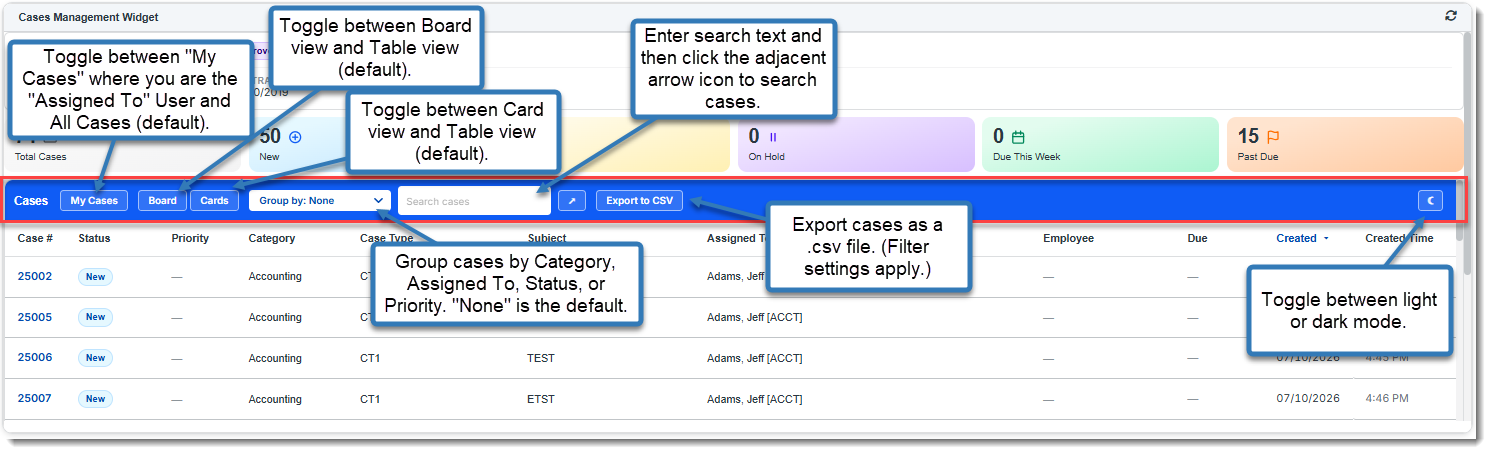
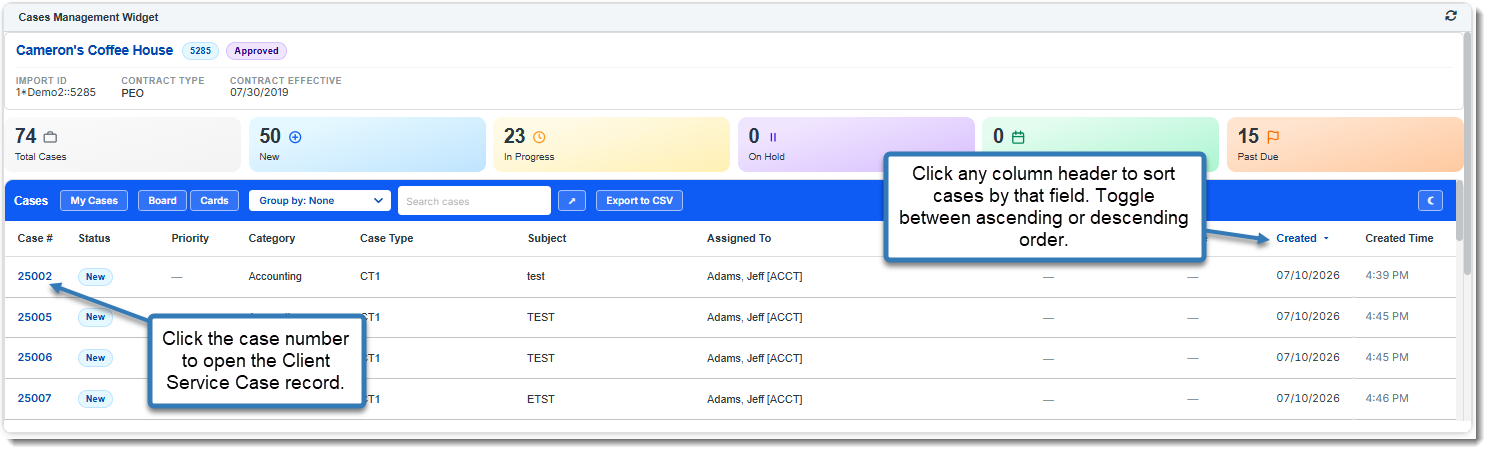
Table View
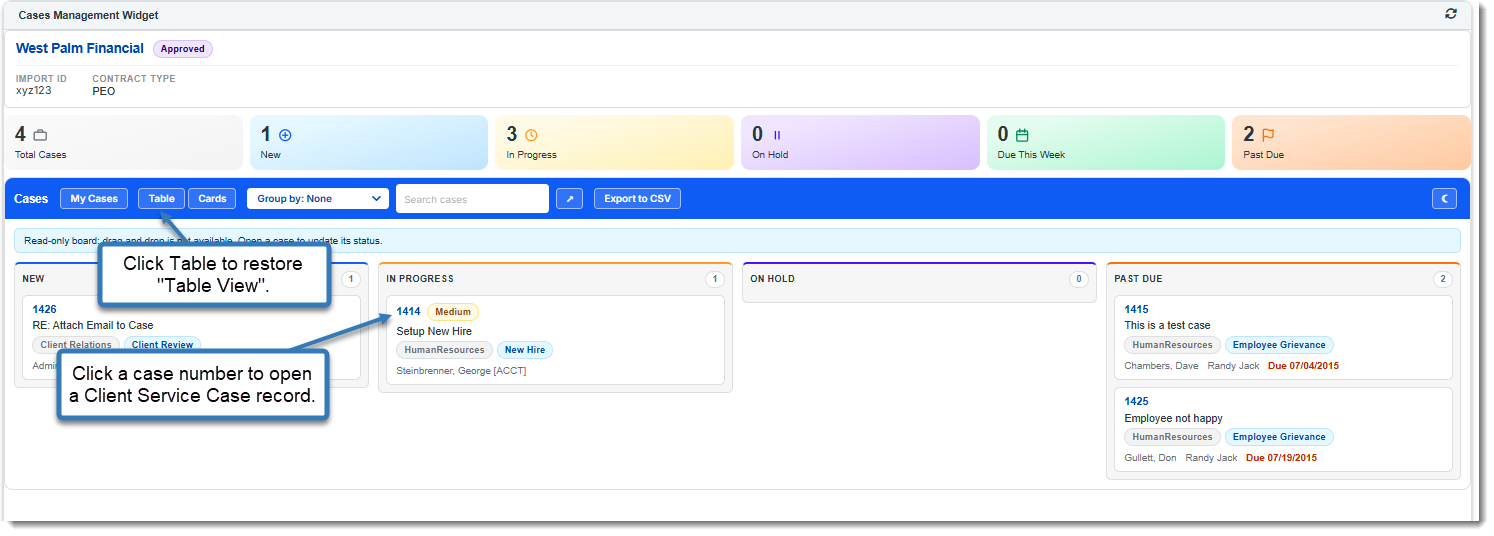
Board View
Card View