Using Employee Garnishments Data on Email Templates
If you need to send emails containing garnishment data using a ClientSpace Email Template, once you set the Garnishments form as the Triggering Form on the Initial tab of the Email Template, Garnishments fields become available as Subject and Body Replace Fields on the Content tab as well as on the Conditions tab (if you select Garnishments as Source) for a condition statement.
Additionally, server data procedures have been added to ClientSpace to facilitate retrieving the garnished employee's name, work and personal email addresses from the Employee record associated with their Garnishment record(s) for use on email templates:
-
peo_server_data_garnishment - This procedure is set on the Garnishments dataform (System Admin
 > Advanced >Configure Customization Options
 on Action Center toolbar) in the Server Data Proc 1(SDP1) field so that a garnished employee's work email, personal email and employee name (based on Employee ID of the Employee record) can be exposed on the Email Template when the Garnishments form is set as the Triggering Form.
 The SDP1 fields are available in the following locations:
-
The email template Content tab Replace Fields under Server Data Procedure 1 :
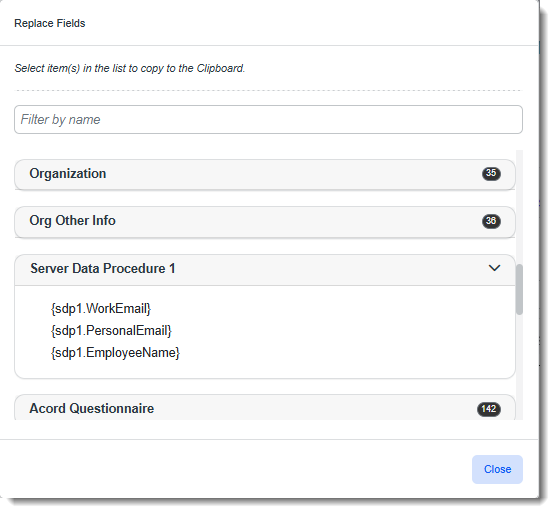
These fields can be used in email Subject and Body text.
-
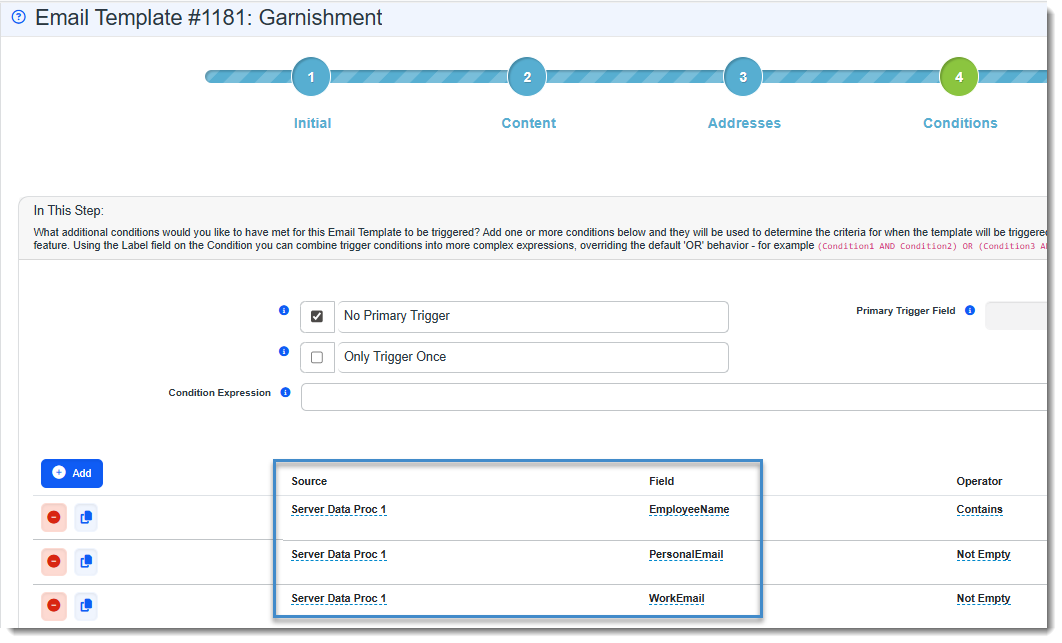
The email template Conditions tab as a Source for the Field drop-down list when building email template conditions.
-
-
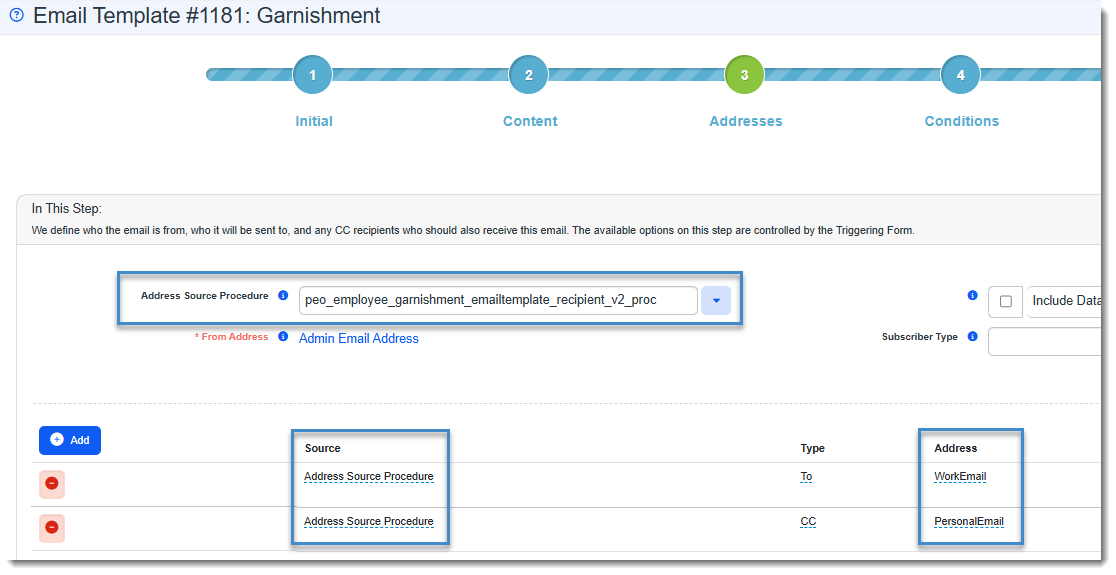
peo_employee_garnishment_emailtemplate_recipient_v2_proc - This procedure makes the employee work email and personal email available on the Addresses tab of the Email template for defining email recipients. Select the procedure in the Address Source Procedure field. Then define recipients using Address Source Procedure under Source and WorkEmail or PersonalEmail under Address.