Switching to Graph API from IMAP
Microsoft is no longer supporting the IMAP integration. Follow the steps below to move ClientSpace Email Integrations to use Microsoft Graph API, a supported, more secure authentication method. Switch to Graph API in just a few easy steps.
Note: As IMAP is being deprecated by Microsoft, we recommend switching to Microsoft Graph API, a supported and more secure authentication method if you have not done so already. Currently, you can continue to use IMAP for existing email integrations in ClientSpace. However, with the release of ClientSpace version 162, you will no longer be able to set up new email integrations using IMAP as the IMAP option has been removed from the Type field of the mailbox configuration window.
Mailbox Configuration
To switch a ClientSpace Email Integration from IMAP to Graph API:
-
Open the mailbox record (System Admin
 > Email Integration).
The mailbox configuration window displays.
-
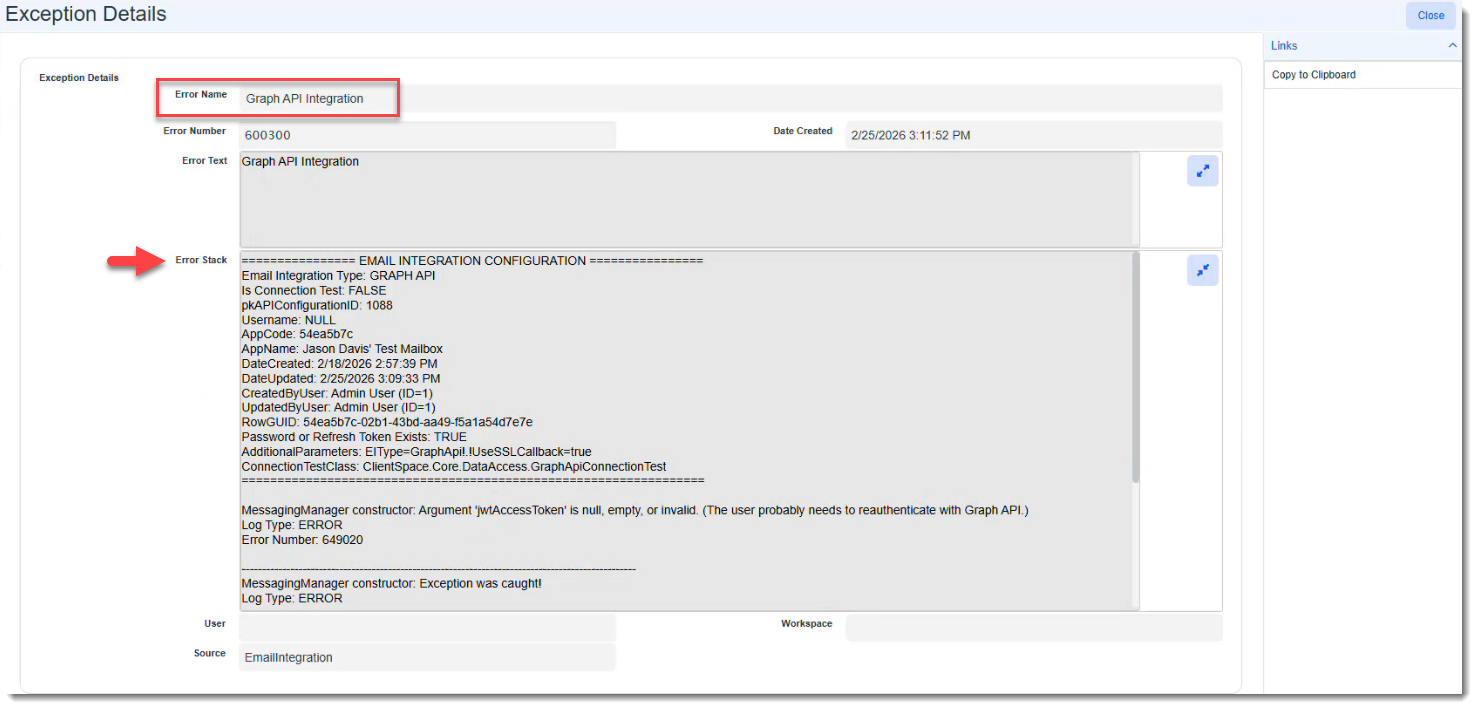
Select Office 365 - Graph API in the Type field.
-
Ensure Use SSL For Callback is selected.
-
Click Apply .
-
Click the Authorize
 button in the Action Center to re-authenticate.
 -
When prompted, enter your credentials.
-
Finally, click Test Connection to test the new connection.
Troubleshooting
This section covers common errors that can occur when attempting to authenticate the new connection or when the schedule process attempts to run with an invalid connection. If you require additional assistance, please contact your ClientSpace representative or log an extranet case.
Mailbox Configuration
The following error message displays on the mailbox configuration record (System Admin > Email Integration) when the access token is invalid:
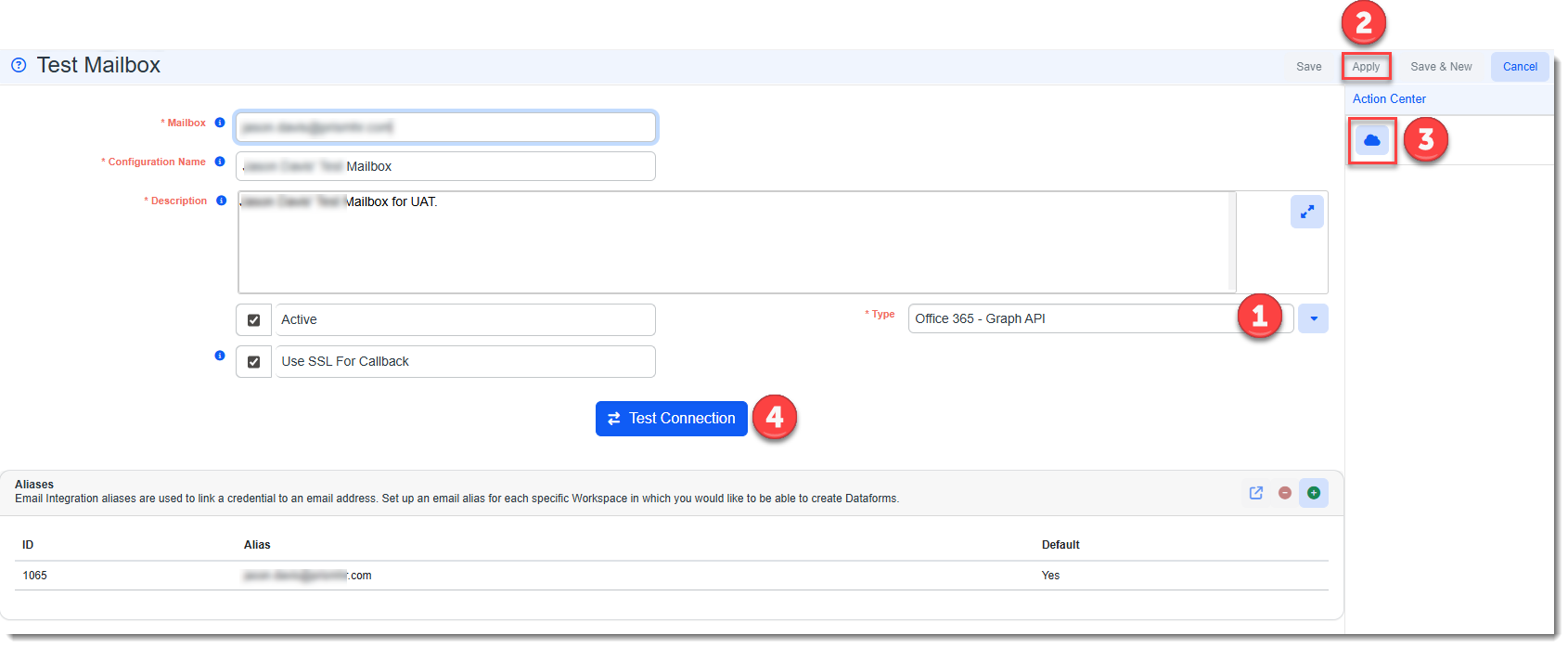
"Unable to connect
Please check your connection settings and try again.
The access token is invalid. Please use the cloud icon in the Action Center to reauthenticate your email mailbox."
A sample error message appears similar to the following:
Exception Log
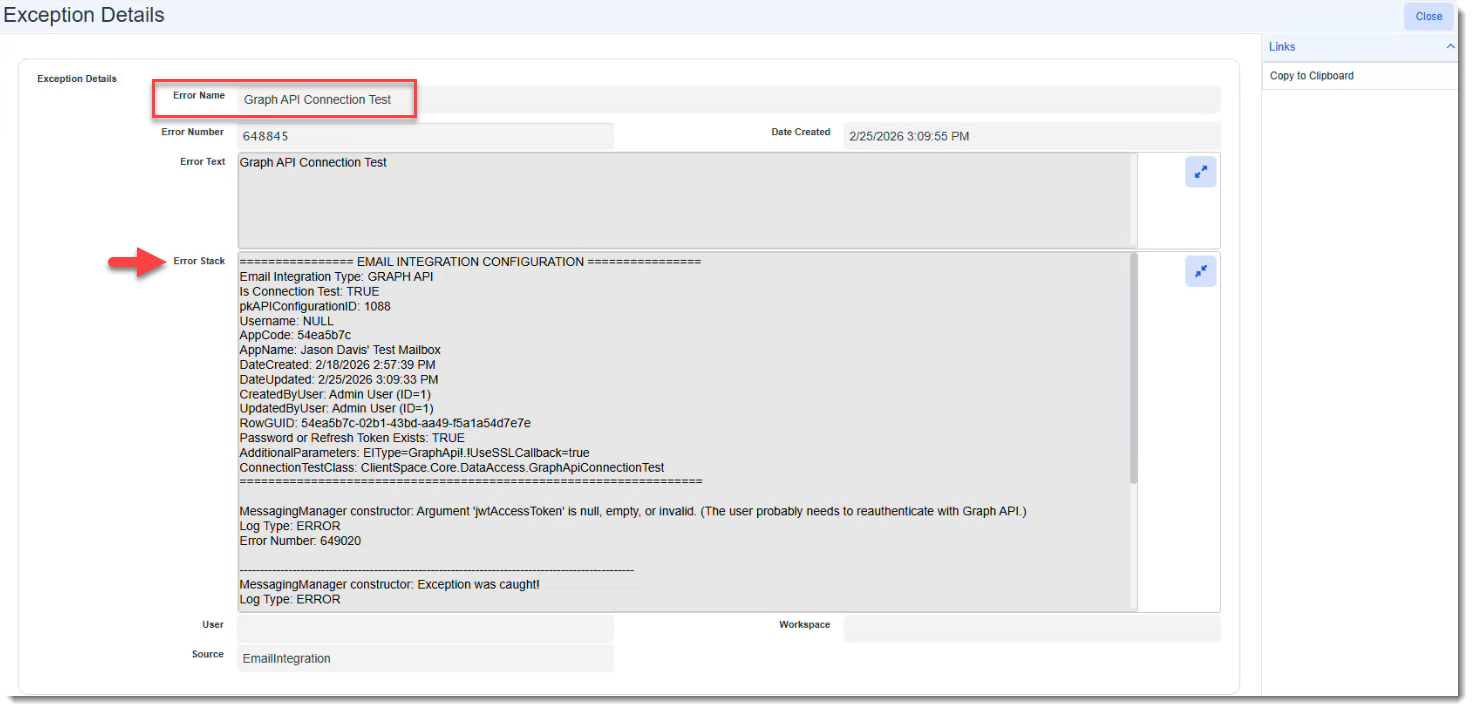
In the Exception log (System Admin > Exception Log), additional details are recorded for the following errors in the "Error Stack" section of the Exception Details record:
-
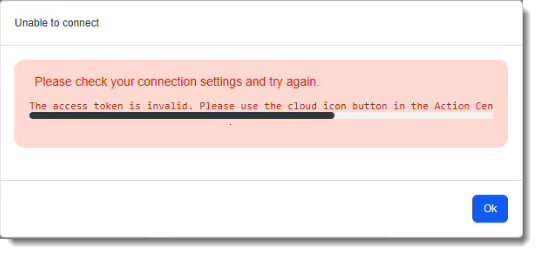
Graph API Connection Test error: This is the corresponding exception error that is recorded when the previously mentioned "access token is invalid" error occurs on the mailbox configuration form.
A sample error message appears similar to the following:
-
Graph API Integration error: This exception error is logged when the Process Email Integration scheduled process runs and the access token is invalid.
A sample error message appears similar to the following: