Viewing Age-Banded Rates
You can view age-banded rates within the Benefit Plan Manager (BPM). On the Benefits Summary page, an asterisk (*) next to a Group link indicates the presence of one or more age-banded plans in the offering. You can view the rates on the Group Summary > Plan Comparison, Group Summary > Summary (Contributions) and Selection Summary (i.e., Signature) pages by clicking a View Rates or View link to display a scrollable popup window containing the rates.
Note: Depending on the Plan Type, the Premium Basis also displays in the window. EX: Rate / Per $1000 of MONTHLY payroll.
Benefits Summary
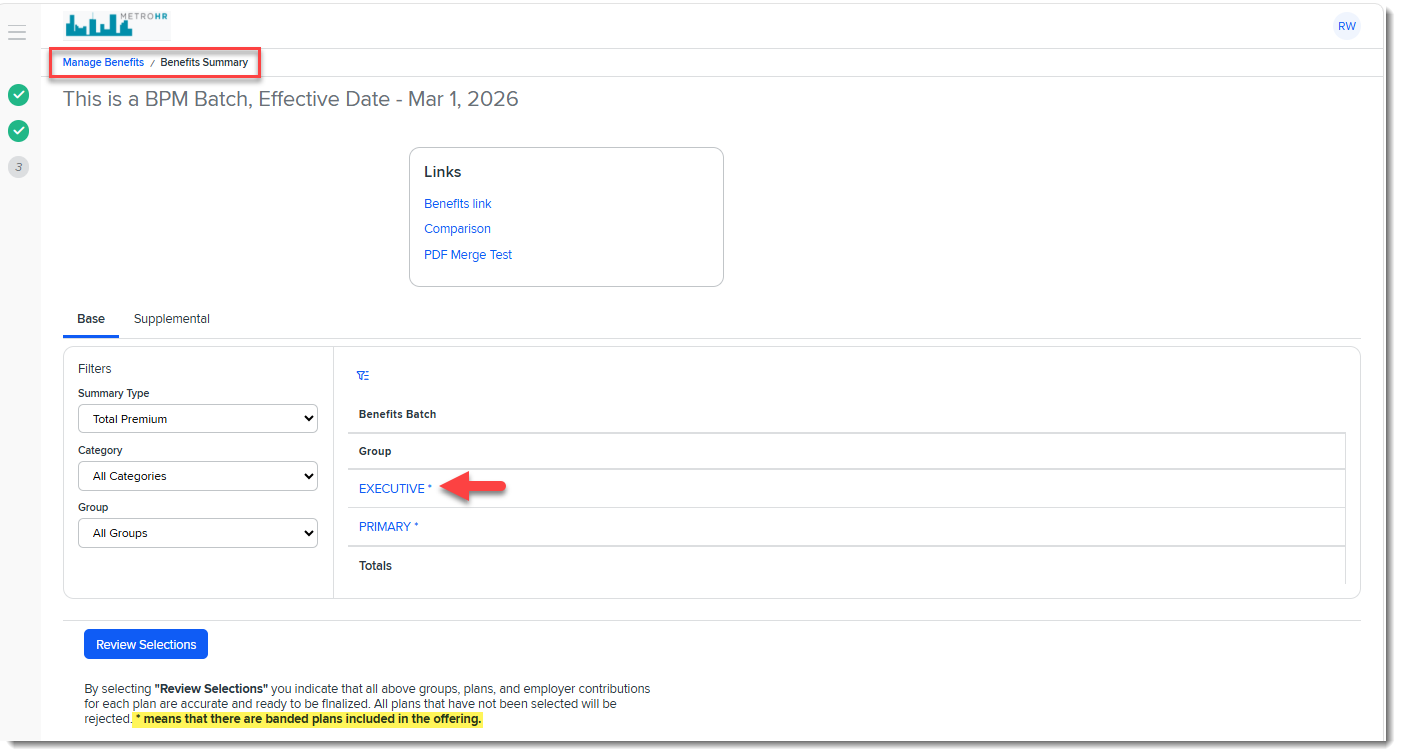
On the BPM Benefits Summary page, an asterisk (*) next to a Group link indicates the presence of one or more age-banded plans within the Benefits Group offering. This is also indicated in the notes at the bottom of the page:
Group Summary
Group Summary > Plan Comparison
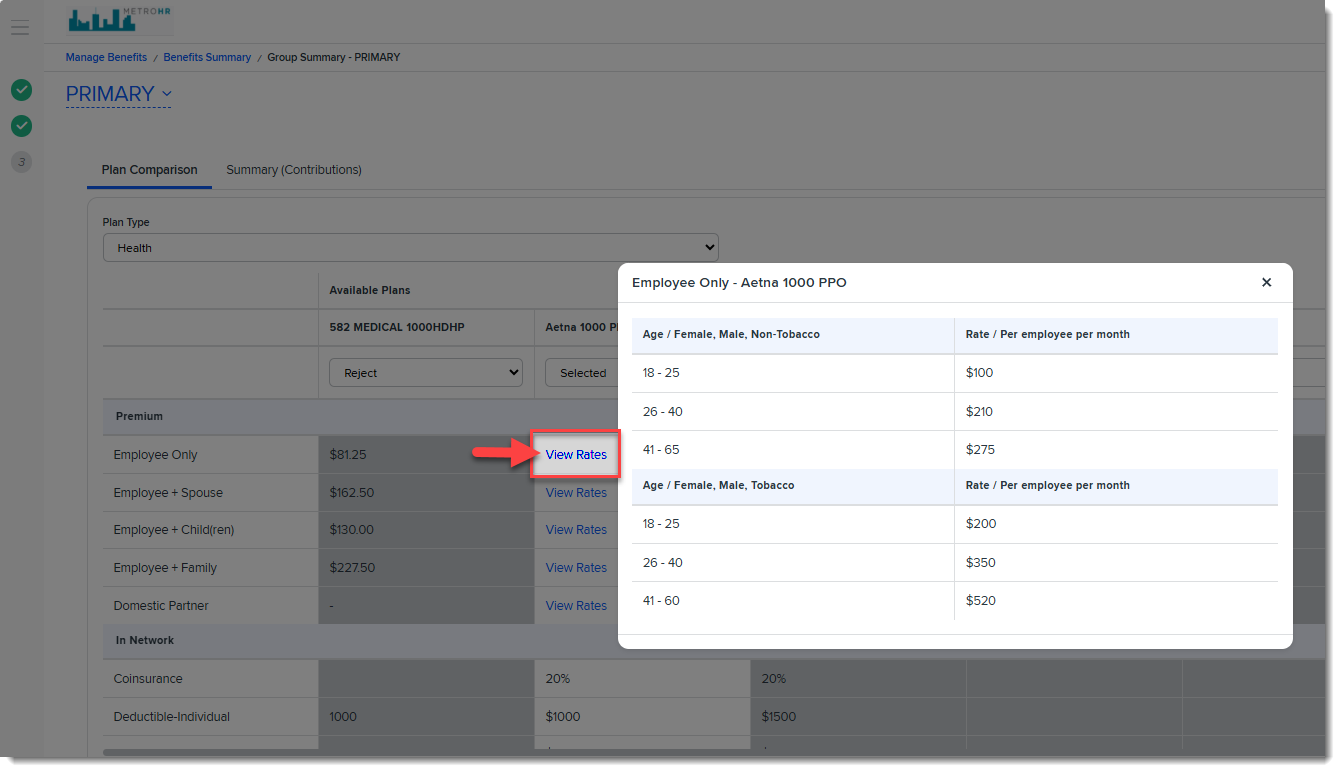
Once you click a Group link to view the associated Group Summary page > Plan Comparison tab for a Plan Type, if a plan is age-banded, a View Rates link (instead of a premium amount) displays for each coverage level. Click a View Rates link on a coverage level line item in the grid to view the age-banded rates associated with that coverage level. In the example below, we clicked the View Rates link for the Employee Only coverage level:
Group Summary > Summary (Contributions)
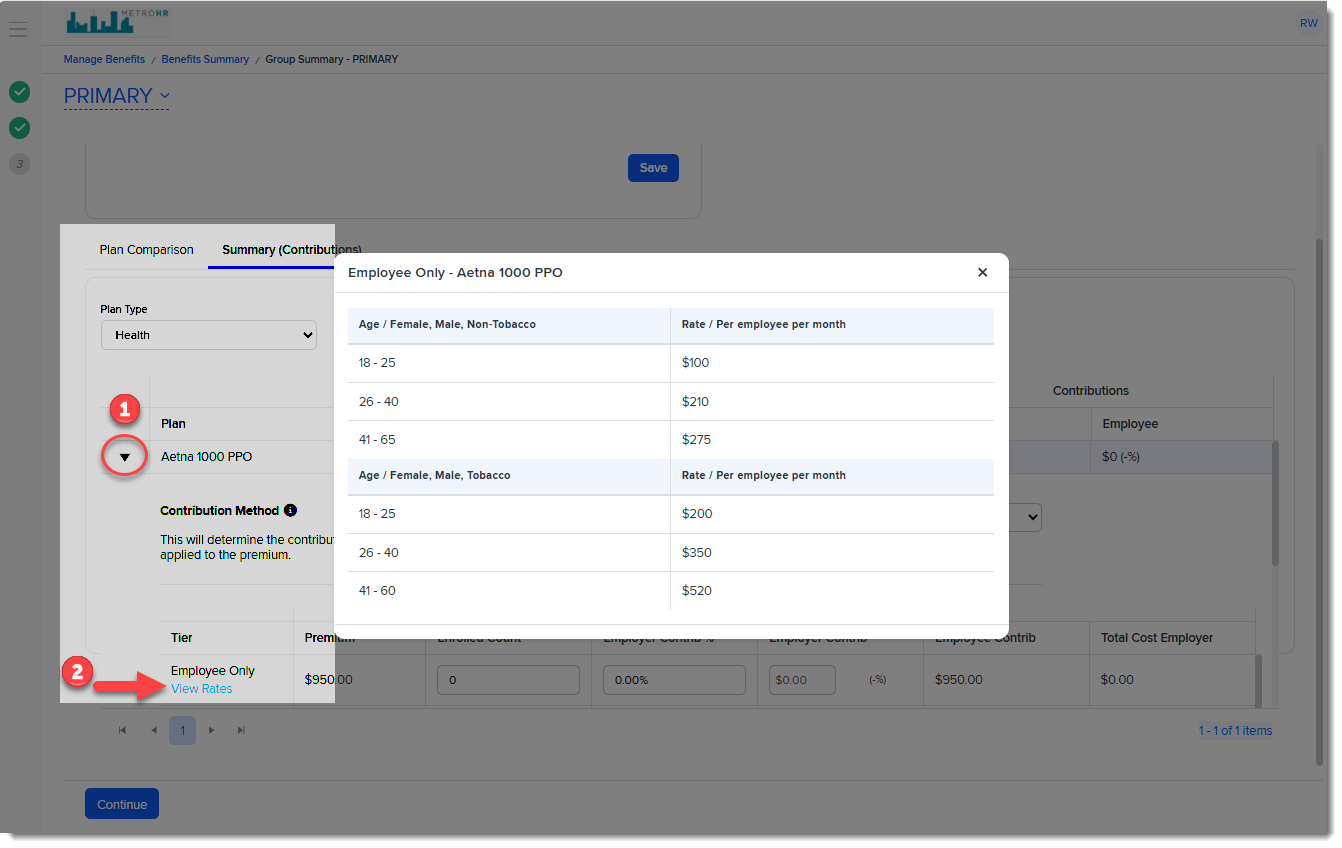
When you click the Group Summary page > Summary (Contributions) tab and then click the black arrow next to the plan name to view the contribution details, if a plan is age-banded, a View Rates link displays under each plan Tier (i.e., coverage level). Click the View Rates link for a Tier to view the age-banded rates associated with it. In the example below, we clicked the View Rates link for the Employee Only coverage level:
Selection Summary (Signature)
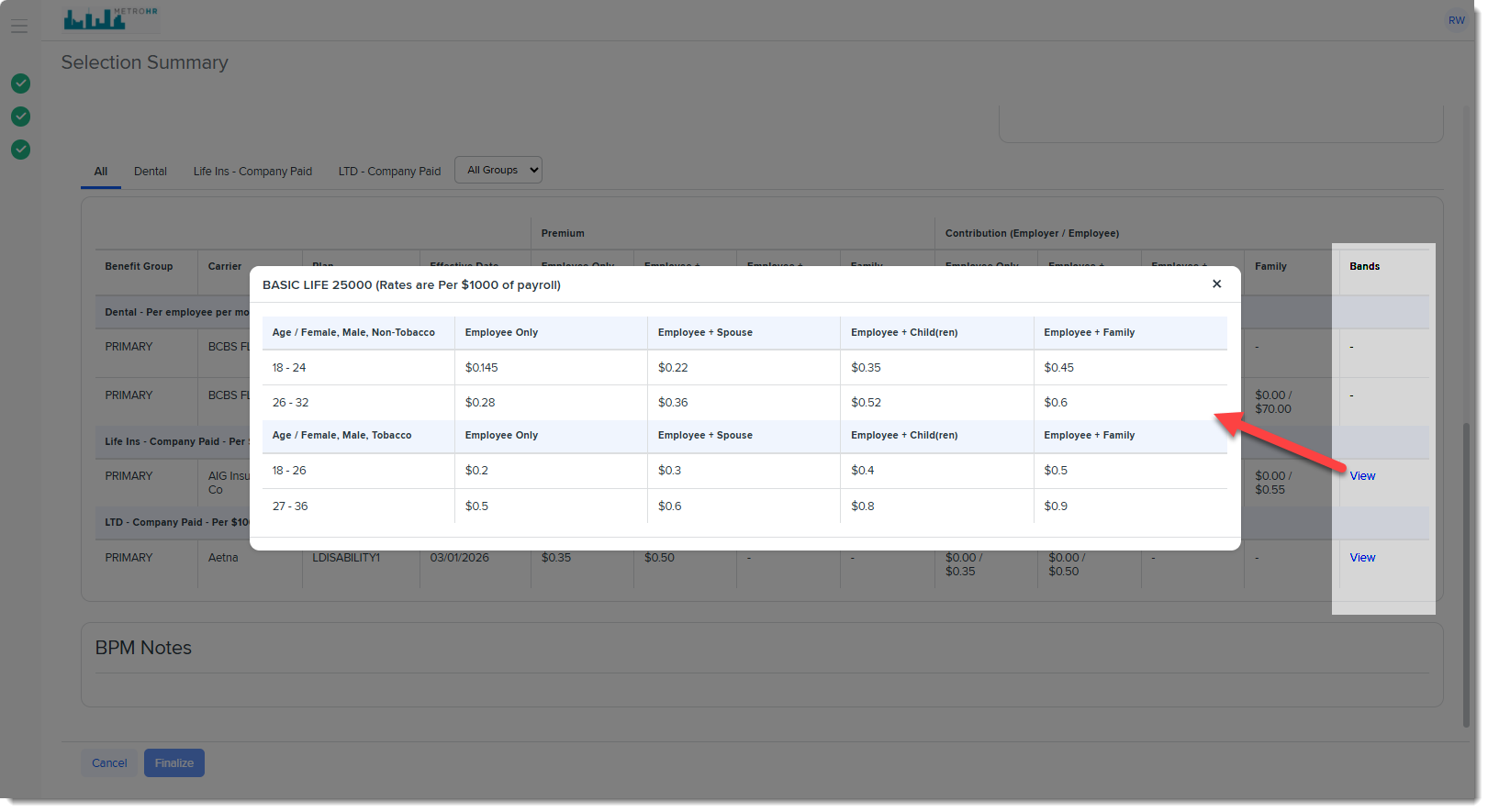
On the Selection Summary (Signature) page, if there are age-banded rates associated with a plan, a View link displays in the Bands column. Clicking a link displays all age-bands and rates for each coverage level. Only coverage levels included in the plan are displayed.