Viewing Dataform Fields from the Action Center
You can view dataform and field information without accessing System Administration (System Admin  > Advanced > Dataform Admin) using the Dataform Fields option in the Action Center. Global Administrator access is not required and hidden fields as well as fields affected by field display settings are shown. Inactive fields and fields that the user does not have access to are not shown.
To view dataform fields from the Action Center:
-
On the Action Center of a dataform, click the More Options
 drop-down list and select Dataform Fields.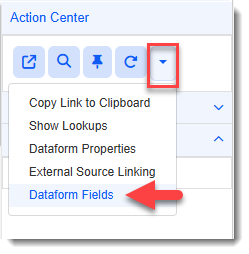
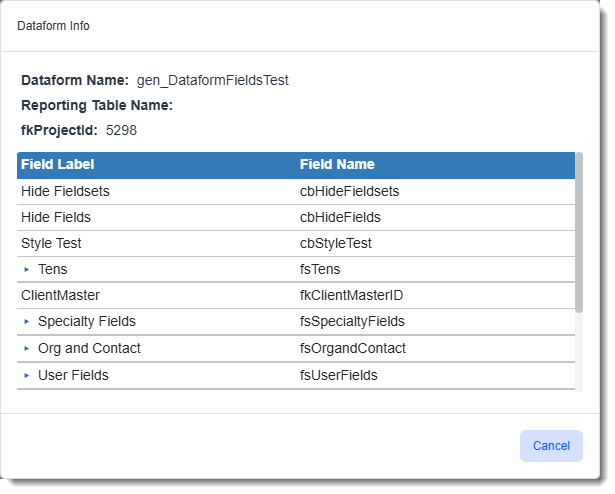
The Dataform Info window displays the Dataform Name, Reporting Table Name (if present), fkProjectId, and the dataform fields as shown in the example below:
Note:
-
Fieldsets are collapsed by default. Click the right chevron
 next to a fieldset to display the fields within it.
 -
Only Global Administrators or above can see the "Administrative Fields" fieldset and fields. Even users who have Admin access to a dataform cannot view these fields.
-
-
When finished viewing the fields, click Cancel to close the Dataform Info window.